When you download the theme from Themeforest, you will get an archive file in .zip extension.
You need to unzip that archive. When done, you should see StreamVid.zip (zip file name can be changed from version to version).
Please, follow the steps below to install StreamVid Theme.
Step 1 – Login to your WordPress Dashboard.
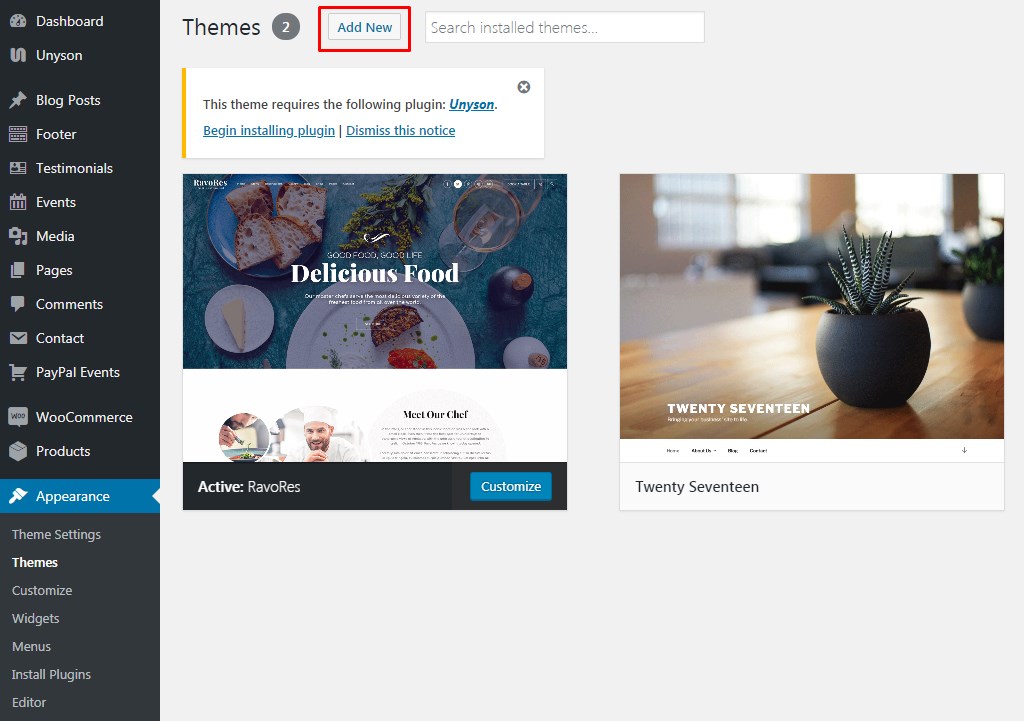
Step 2 – Go to Appearance > Themes. Click Add new button, located at the top of the screen or Add new theme ( see screenshots below ).
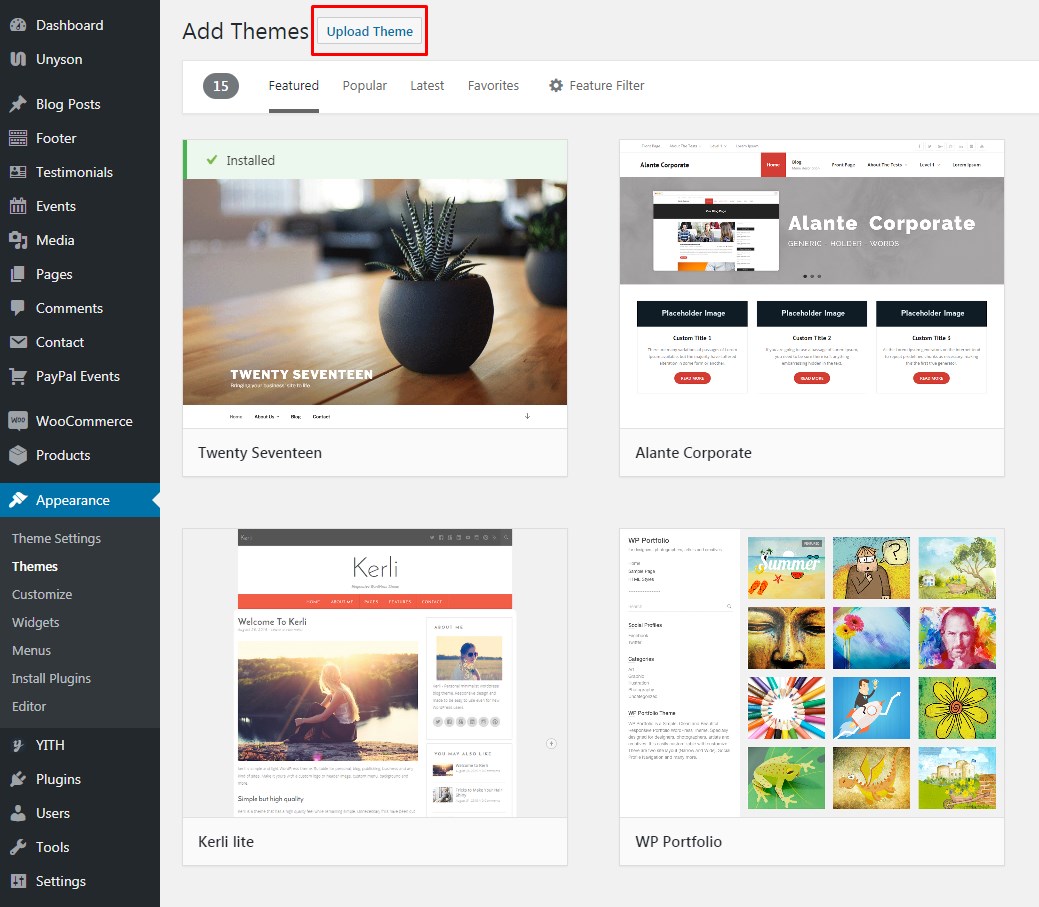
Step 3 – Click on Upload button at the top of the screen.
Step 4 – Choose StreamVid.zip.
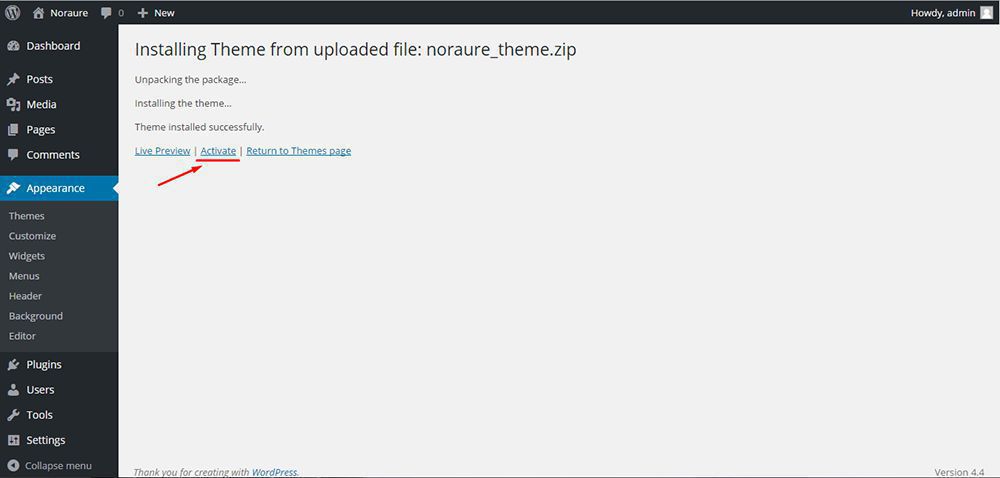
Step 5 – Wait while the theme is uploaded and installed then activate the theme.
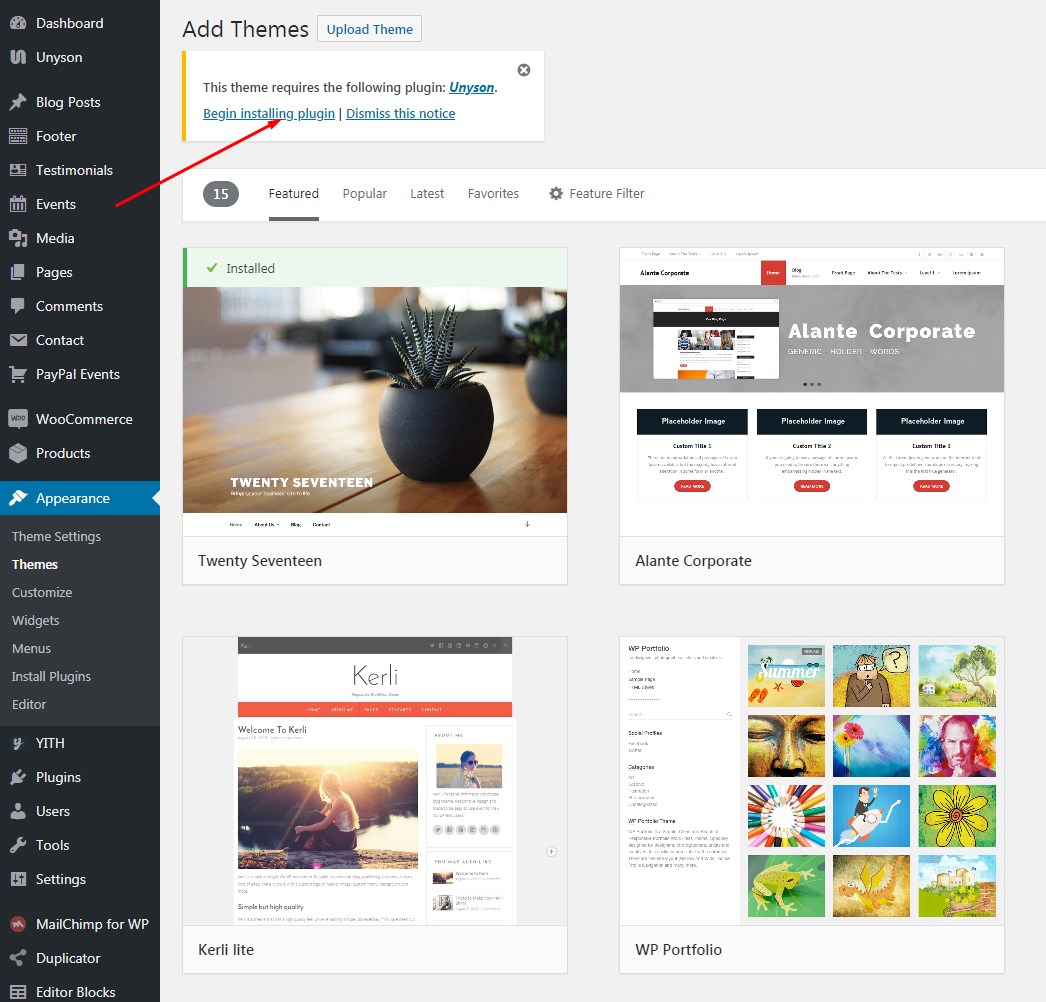
Step 6 – After activating the theme a notice should appear on the top of the screen, click on begin installing plugins ( see screenshots below ).
Step 7 – Select all the plugin,change Bulk Actions drop to Install then click apply ( see screenshots below ).
Step 8 – Congratulation you are ready to use StreamVid, check the Initiate Steps part of our documentation to see what you may want to do before starting to edit your WordPress Site.